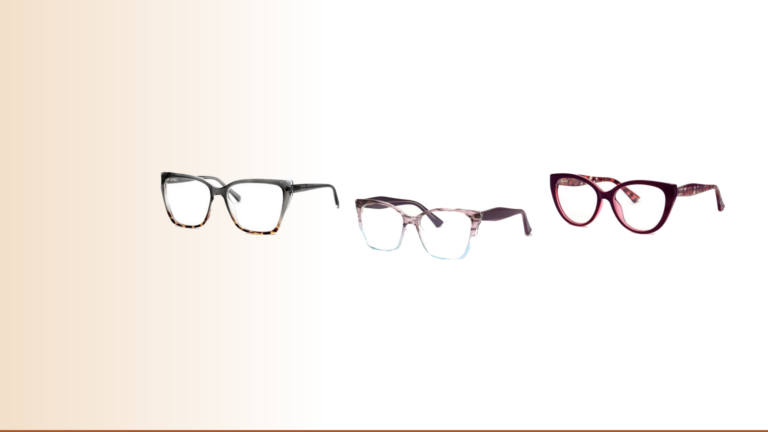
“Computer glasses” covers three different things. It can mean plain lenses with a blue light filter, reading glasses used at screen distance, or lenses an optometrist prescribes for the middle distance. Which one you need depends mostly on your age and how well you see up close.
This guide works through that choice, then covers the strength, the lens and the fit.
Start with your near vision
If you are under about 40 and reading is easy, your eyes can still focus at screen distance on their own. You do not need magnification. A plano pair, meaning one with no magnification, is optional: some people like the anti-reflective coating, and that is a fair reason, but it is not a medical need.
If you are in your mid-forties or older and small print has started to blur, that is presbyopia, the gradual stiffening of the lens inside the eye. It happens to nearly everyone, and it is where magnification helps. Our guide to reading glasses strengths explains the numbers.
If your eyes need different strengths, you have astigmatism or you need distance correction, ready-made glasses cannot help. Book an eye test, because an optometrist can prescribe lenses for your exact working distance.
Screen distance changes the strength you need
The American Optometric Association recommends a screen 50 to 70 cm from your eyes (20 to 28 inches), with its centre 15 to 20 degrees below eye level. That is further away than a book, which most people hold at 35 to 40 cm.
The further away something is, the less focusing power it takes. A book at 40 cm asks for 2.50 dioptres of focus; a monitor at 65 cm asks for about 1.50. So readers that are right for a book are often too strong for a desktop screen, and you end up leaning in to get it sharp.
A good starting point for a desktop screen is one step weaker than your book strength, for example +1.50 if you read with +2.00. A laptop usually sits closer than a monitor, so your normal reading strength may suit it. Our blue light reading glasses come in +1.00, +1.50 and +2.00, so two pairs, one for the desk and one for reading, are an option at R349 each.
Readers work at one distance only. Look up at someone across the room and they will blur, which is normal. Never drive in them, and do not expect them to help at the driving licence eye test, which checks your distance vision.
Clear or tinted lenses
Blue light lenses come in two kinds. Clear lenses carry a coating that shows a faint blue or purple sheen when light catches it. Tinted lenses are visibly yellow or amber, filter more blue light, and shift every colour on your screen towards yellow.
That shift matters if you edit photos, design or check colour for work. The screen glasses and readers in our range have clear lenses, so colours stay close to true.
How to read a spec sheet
“Blocks X% of blue light.” Ask which wavelengths. A percentage without a stated range cannot be compared with another brand’s figure, and the 2023 Cochrane review found blue-light filtering lenses may not reduce eye strain anyway. Our summary of what the review found covers the detail.
Anti-reflective coating. This is the feature with the clearest benefit at a desk. It cuts the reflections of overhead lights and windows that bounce off the lens itself. Our SL range lists it, including the plano SL461 at R349.
UV400. This matters for a pair you wear outside, such as a photochromic one, rather than for the screen itself. The photochromic SL311 at R399 lists UV400 and darkens in sunlight.
Scratch-resistant lenses. Worth having on a pair that lives on a desk and gets pushed onto your head. Our SL listings include it.
Fit for long days
A pair you wear for eight hours has to disappear on your face. Check three measurements against a pair you already find comfortable: lens width, bridge width and temple length. The SL461, for example, measures 53 mm, 17 mm and 142 mm. Our guide to measuring a frame at home shows how to find yours.
Metal frames with nose pads spread the weight onto the sides of the nose, which some people find easier over a long day. Acetate frames rest directly on the bridge of the nose.
Set up the desk as well
Glasses do less than the desk. Put the screen at arm’s length with its top at or just below eye level, turn it so windows are to the side, and follow the 20-20-20 habit: every 20 minutes, look at something about 6 m away for 20 seconds. Our piece on why eyes feel tired after screens explains why that works.
How we’d choose
- Under 40, long screen days: sort out the desk first. If you want a pair for the coating, a plano frame such as the SL461 at R349.
- Over 40, desktop monitor: blue light readers one step weaker than your book strength, at R349.
- Over 40, laptop on your lap: your usual reading strength.
- In and out of the office all day: a photochromic pair at R399.
Two pairs at R349 come to R698, which clears the R500 line for free standard delivery.
Frequently asked questions
What strength computer glasses do I need?
If you use readers for books, start one step weaker for a desktop screen, such as +1.50 if you read with +2.00. If you do not need readers for books, you do not need magnification for a screen either.
Are computer glasses the same as blue light glasses?
Not always. Blue light glasses have a filter and may have no magnification at all, while computer readers add magnification set for screen distance. Our blue light readers combine the two in +1.00, +1.50 and +2.00.
Can I wear computer glasses all day?
Plano pairs, yes. Readers blur anything beyond arm’s length, so take them off to walk around, and never drive in them.